For the music you have kept all these years
Untagged songs, wrong names, missing covers? TuneRight can fix that
TuneRight listens to the song, finds the release it belongs to, and brings the proposed tags and artwork together for you to review. Your files change only when you choose to apply an edit.

Find the songs that need attention
Scan a folder and see what is already tagged, what TuneRight has matched, and what needs a closer look. There is no need to open files one by one just to find the gaps.
Does your music folder look a little like this?
Maybe the same artist is filed as 2Pac, 2 Pac, and Tupac. Maybe an old rip has no useful title or cover.
TuneRight listens to the songs and shows you the names, tags, and artwork it found. You choose what gets written to each file.
A clear look at every proposed fix
See the match, cover, and tag change beside each song. Apply what looks right, choose another release, or edit a tag yourself.

Keep the tracks with the album they belong to
TuneRight groups songs by album, so you can check a release as a whole and apply its changes together. You can still make a different choice for any individual track.

Make the final call on every tag
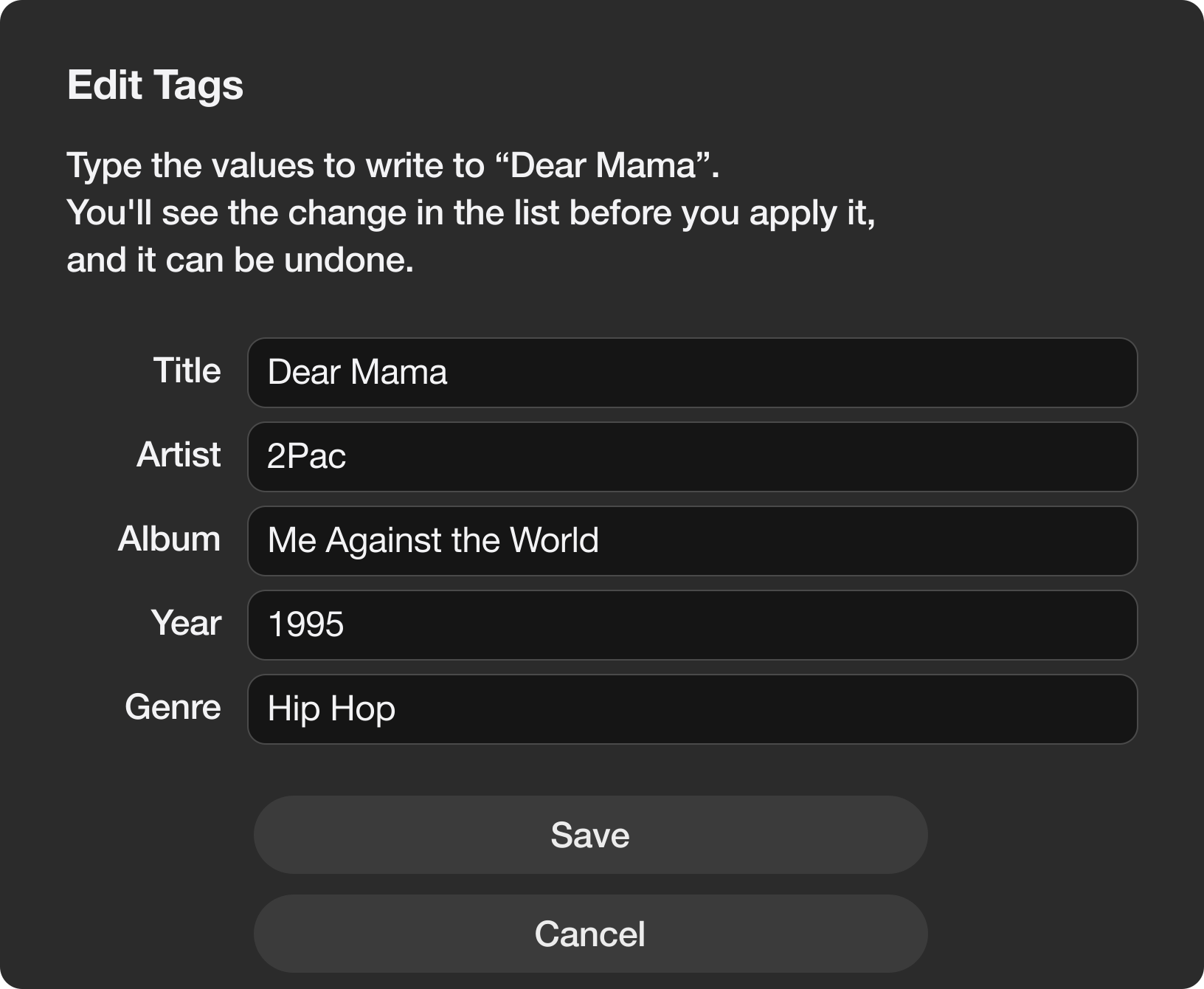
If you prefer to fill in the details yourself, Edit Tags puts the title, artist, album, year, and genre in one place. You can also choose your own cover, then review everything before applying.
Covers and genres, without the busywork
TuneRight checks fanart.tv for album artwork and uses Cover Art Archive when needed. It can fill a missing genre from Apple's music store, and you can choose a different cover or edit the genre yourself.
Bring your MP3, M4A, FLAC, WAV, and AIFF files
Questions you might have
Does a scan change my music files?
No. A scan shows the matches and proposed changes. TuneRight writes to a file only after you choose to apply an edit. Every applied change can be undone, even after a restart.
Can I work through a whole album?
Yes. Tracks are grouped by album, with a way to apply the album's changes together or handle songs individually.
What if I want a different cover or tag?
Choose a cover from your Mac or type the tag yourself in Edit Tags. You can also skip a suggestion, and applied edits can be undone.
Which music files does TuneRight support?
MP3, M4A, FLAC, WAV, and AIFF.
How many Macs can I use it on?
Up to three Macs at the same time with one license.
How do I move my license to another Mac?
On the Mac you are leaving, choose License… from the TuneRight menu and press Deactivate This Mac. Then enter your key on the new Mac. If the old Mac is no longer available, email support@tuneright.app.
Which Macs does TuneRight run on?
Any Mac with macOS 14 Sonoma or later, with Apple silicon or an Intel processor. TuneRight runs natively on both.
Does TuneRight need the internet?
Yes. TuneRight checks your license each time it opens, and it looks up song details and covers online. If it can't connect, it waits on the license screen with your key saved and unlocks by itself once it's back online.
Pay once and keep sorting your music
TuneRight is a native Mac app with a single $9.99 purchase. There is no subscription, trial, free tier, or free download.
Read about the one-time licenseOne-time purchase for macOS 14 and later
Buy TuneRightYou get your license key right after checkout